
What's New in the July 2025 Blackline Live Update
We're excited to announce that by July 24, 2025, we will be updating the navigation on several pages in Blackline Live! New device type filters are being introduced on the Devices, Configuration profile, Groups, and Docks pages to improve usability and streamline navigation.
The G7, EXO, AND LONER, and G6 tabs on each page will also be merged into a single, unified list. With the new device type filters, you will have the flexibility to sort the list as needed, making it easier to manage mixed fleets across the platform.
Devices
On the Devices page, devices will display in one list. A new Device type filter will be added, allowing you to filter the list by device type.
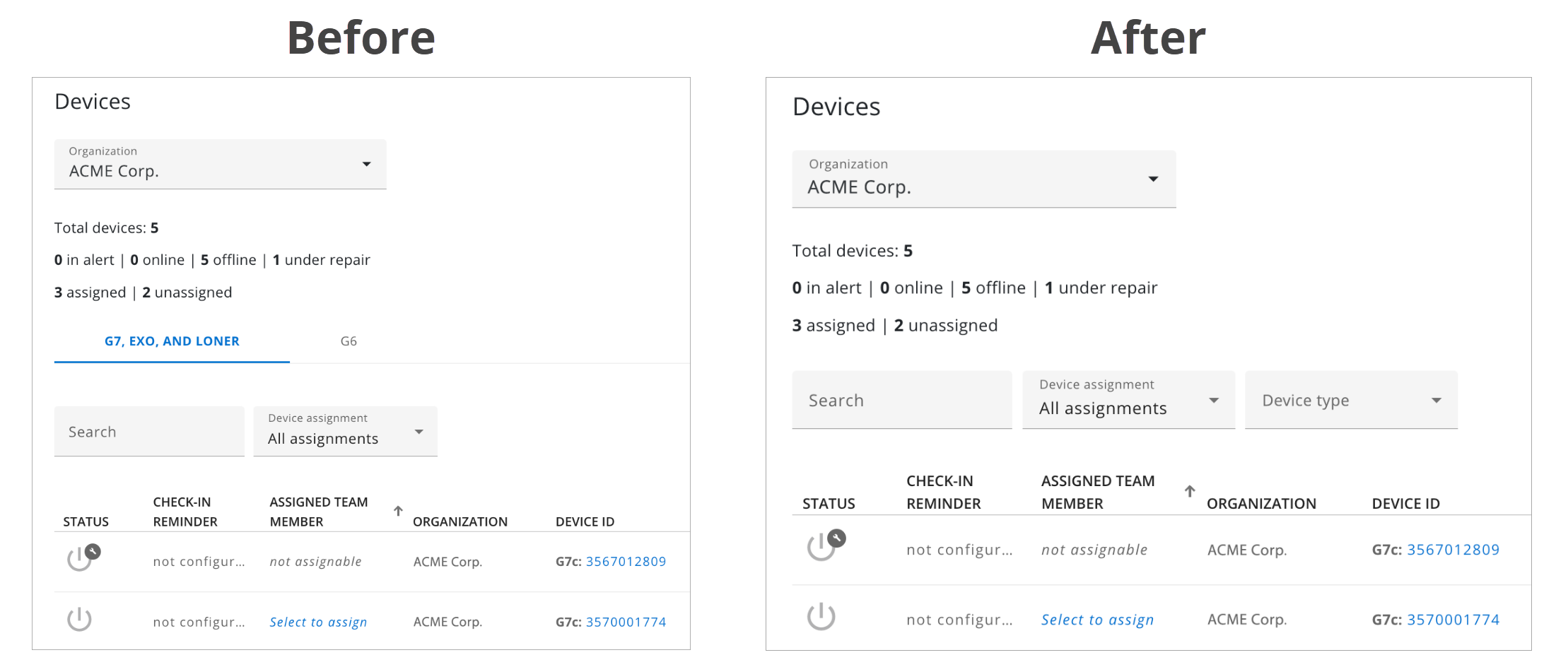
To filter the list of devices, select the Device type filter, then select the desired device types from the drop-down menu. You can select multiple device types to view a customized combination in the list.
Configuration Profile
On the Configurations page, configuration profiles will display in one list. A new Configuration type filter will be added, allowing you to filter the list of configuration profiles by configuration type.
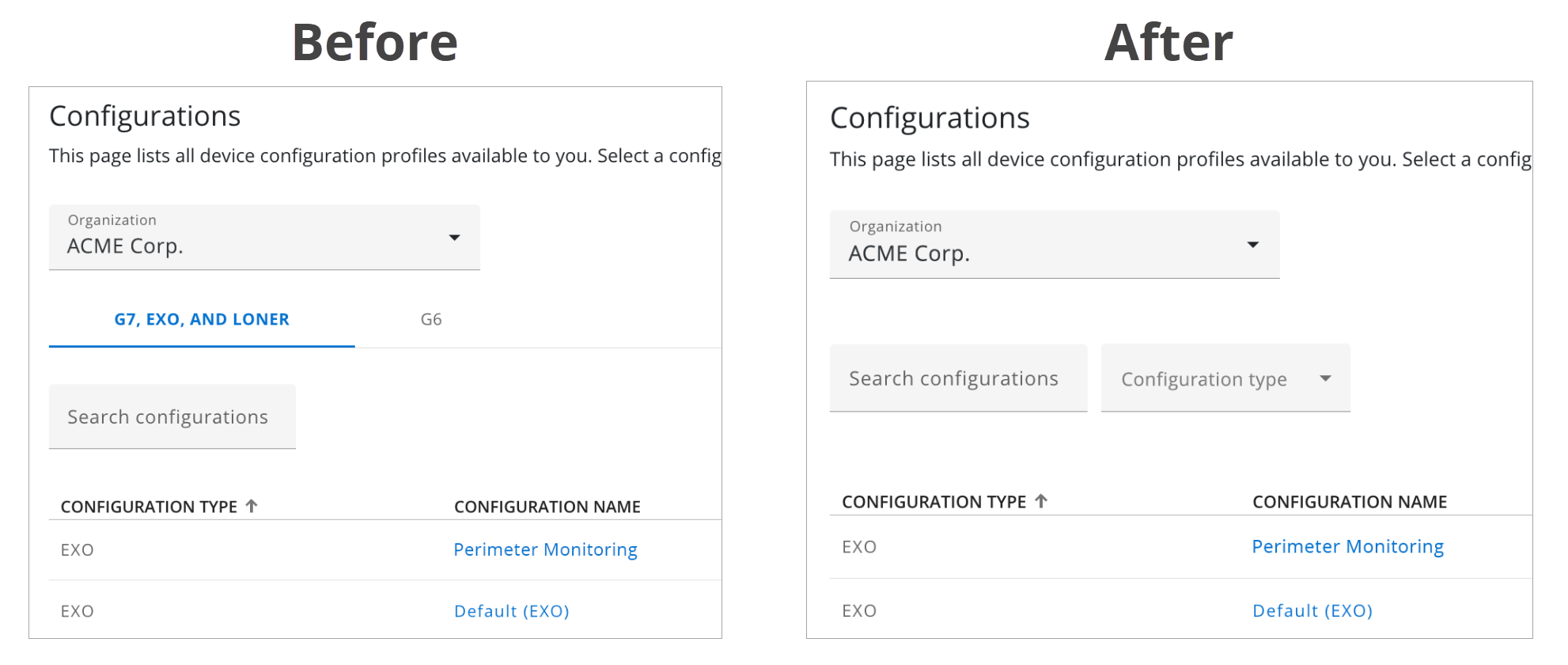
To filter the list of configuration profiles, select the Configuration type filter, then select the desired configuration types from the drop-down menu. You can select multiple configuration types to view a customized combination in the list.
Groups
On the Groups page, groups will now display in one list. A new Device type filter will be added, allowing you to filter the list of groups by device type.
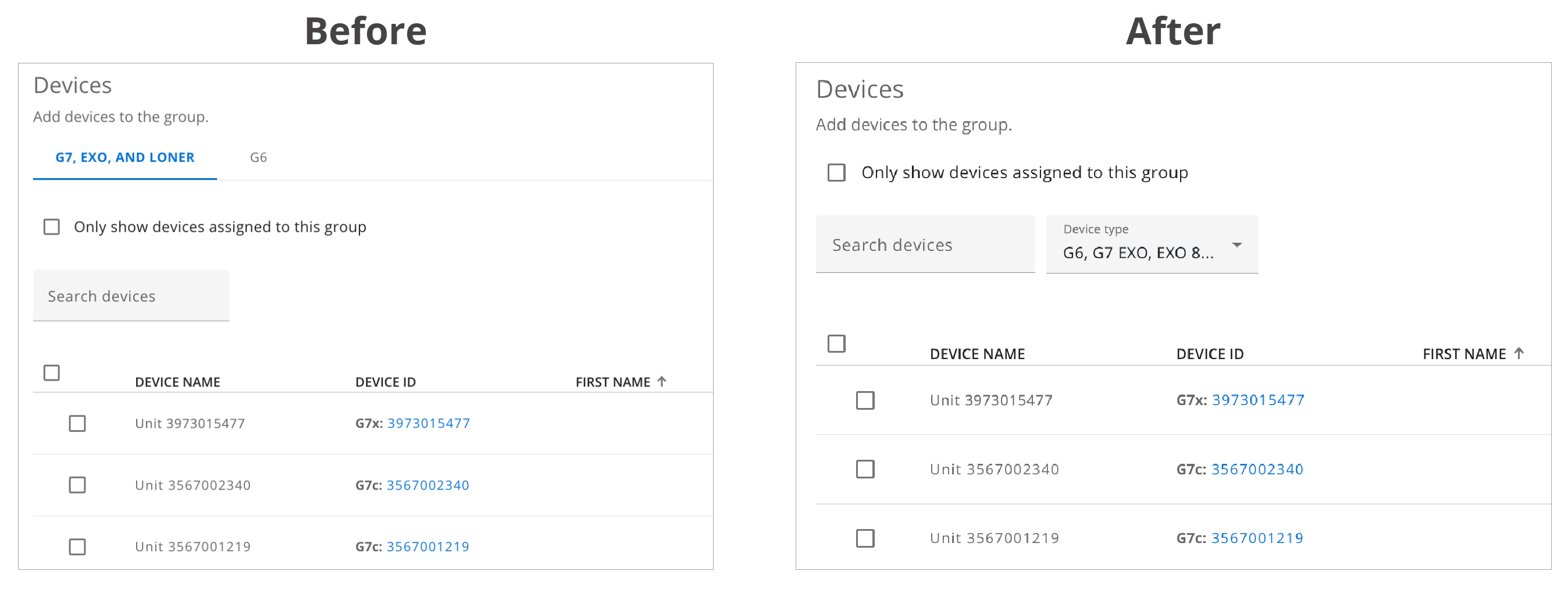
To filter the list of groups, select the Device type filter, then select the desired device types from the drop-down menu. You can select multiple device types to view a customized combination in the list.
Docks
On the Docks page, docks will now display in one list. A new Dock type filter will be added, allowing you to filter the list of docks by dock type.
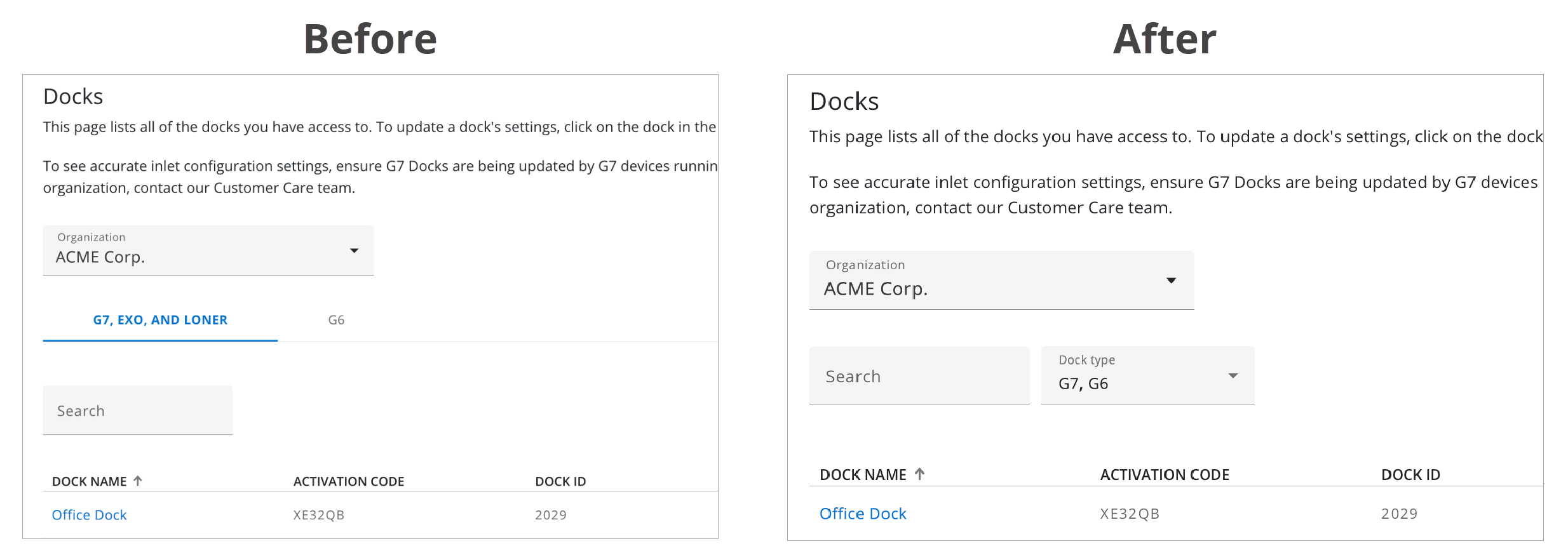
To filter the list of docks, select the Dock type filter, then select the desired dock types from the drop-down menu. You can select multiple device types to view a customized combination in the list.
Technical Support
Contact details for the Blackline Safety Technical Support team.
Need help? Our Technical Support team is available 24/7 to assist you.
North America
Toll Free: 1-877-869-7212 | mailto:support@blacklinesafety.com
United Kingdom
+44 1787222684 | mailto:eusupport@blacklinesafety.com
International
+1-403-451-0327 | mailto:support@blacklinesafety.com