
Changing the Pump Filter for the Pump Cartridge
This article details the steps to change the pump filter for the G7 and G8 pump cartridge.
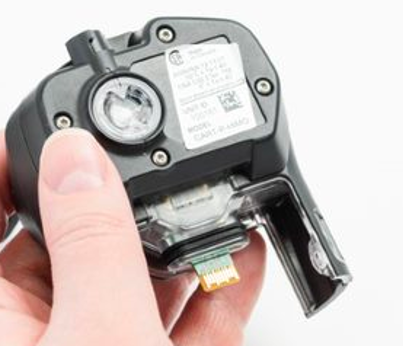
This article details the steps to change the pump filter for the G7 and G8 pump cartridge.
You will need:
- Flat headed tool (example: a pair of tweezers, flat headed screwdriver or a coin)
- Replacement filter from ACC-PUMP-FILT10
-
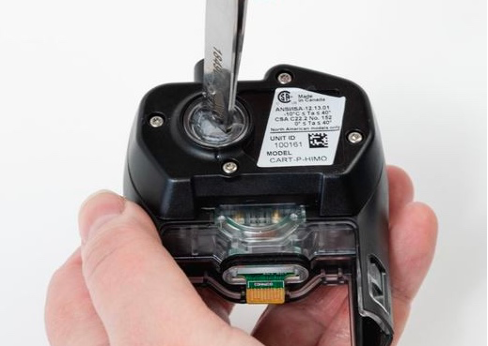
Using a flat-headed tool (shown below: a pair of
tweezers), unscrew the filter cover by rotating it 90 degrees
counterclockwise.
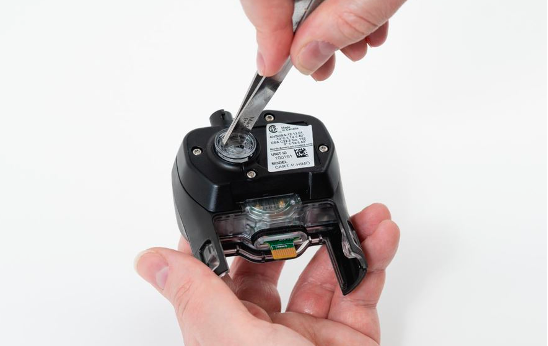
-
Remove the filter cover and set it aside to expose
the old filter.
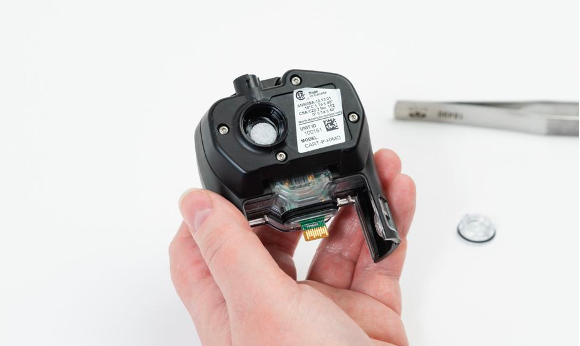
-
Insert the replacement filter.
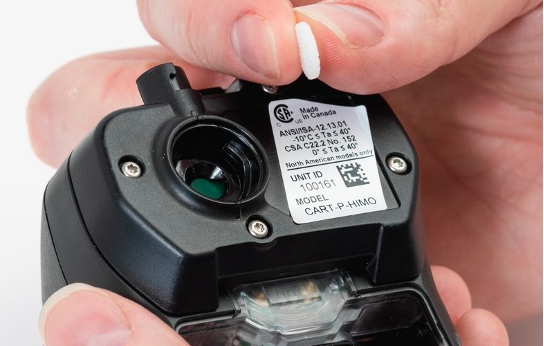
- Replace the filter cover and rotate it 90 degrees
clockwise to secure. Do not over-tighten. The pump cartridge is now ready
for use.
Technical Support
Contact details for the Blackline Safety Technical Support team.
Need help? Our Technical Support team is available 24/7 to assist you.
North America
Toll Free: 1-877-869-7212 | mailto:support@blacklinesafety.com
United Kingdom
+44 1787222684 | mailto:eusupport@blacklinesafety.com
International
+1-403-451-0327 | mailto:support@blacklinesafety.com
