Configuring a Custom Gas
If the target gas is a mixture of gases, you can calculate the RF, STEL, and TWA values for the overall mixture. For detailed information on the calculations, please see, VOC Correction Factor Technical Notes.
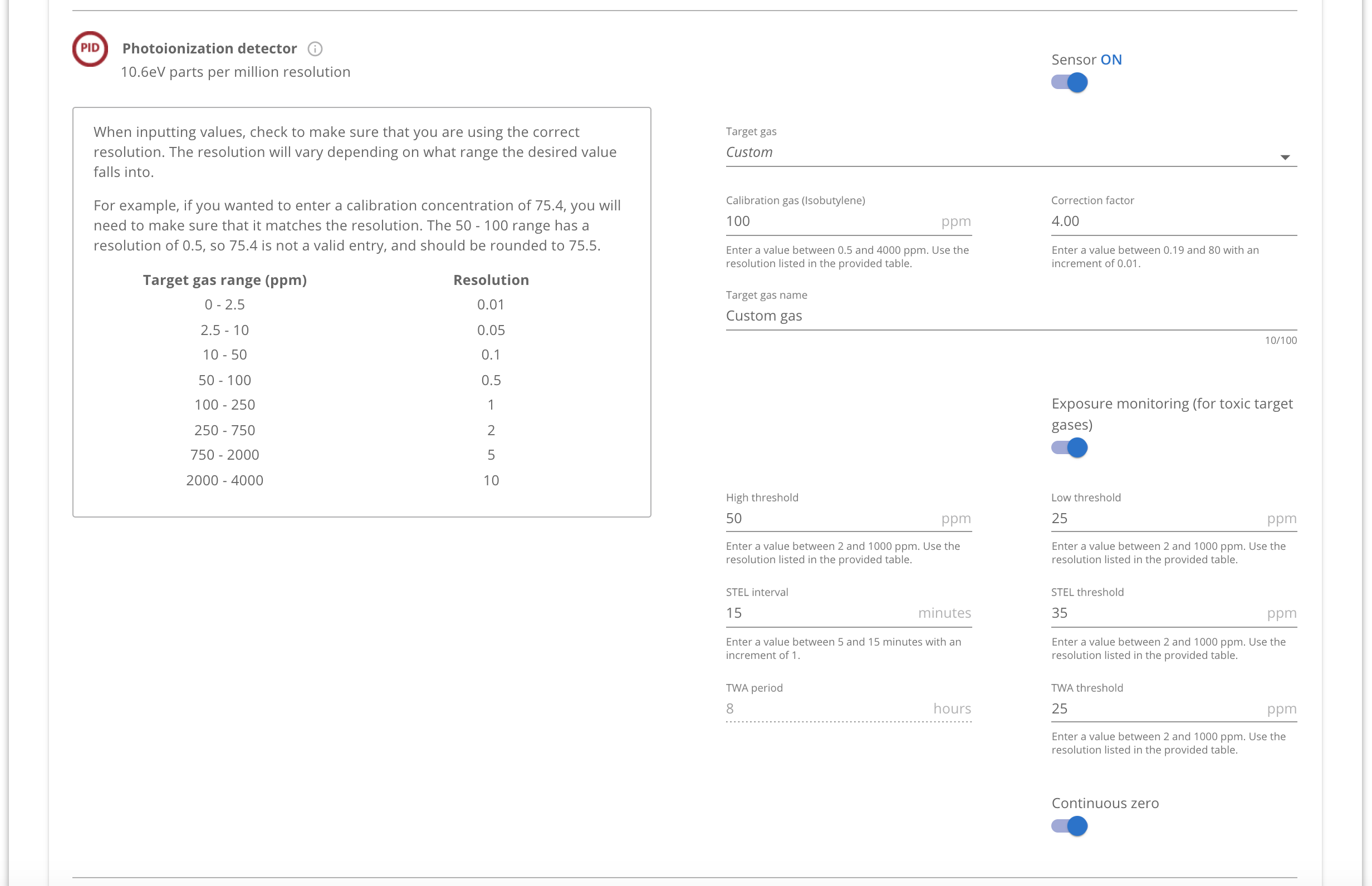
To configure a custom gas (gas mixture):
- Select Custom from the list of target gas options, then input the target gas mixture name and calculated Correction factor (this the combined CF of the blend of gases as described in the Correction Factor Technical Note).
- If TWA and STEL monitoring is required, enable Exposure monitoring (for toxic gases), then input the calculated TWA and STEL thresholds.
- Input the High and Low threshold alarm values to the lowest values of the components that make up the Custom target gas mixture.
Warning:
Blackline Safety devices may include default sensor threshold values for convenience; however, these defaults may not align with the regulatory or safety requirements of your jurisdiction. Consult with your Environmental Health and Safety group for your organization's recommended PID Sensor thresholds and overall sensor configuration.